1. StageStandard
The Stage section serves as the visual and thematic introduction to a page. It is designed to capture attention and set the tone for the content that follows. Depending on the layout and purpose, different variants can be used — ranging from bold headlines to image-based intros or interactive carousels. Each Stage type offers flexibility in how key messages, visuals, or interactive elements are presented, ensuring the first impression aligns with the page’s goals.
All stages are #OneWeb ready on www.hartmann.info:
Notes:

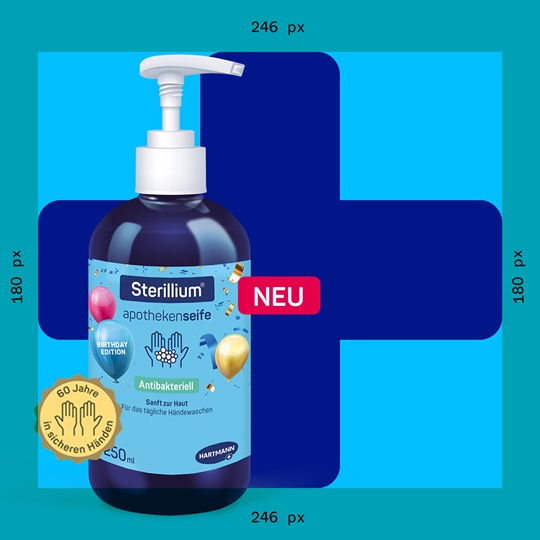
To ensure consistent presentation of Plus communication at all levels of the website, Plus Stage assets are always created at a size of 2560 x 2560 pixels and exported as transparent PNGs.
The size and placement of Plus element are fixed, while a designated area allows flexibility for product placement. To support optimal asset production, a Photoshop template is available in the Download Center.
ParagraphSimple is a streamlined text block designed to present concise information in a clean, straightforward manner. It avoids additional styling or layout complexity, making it ideal for plain text content, short explanations, or supporting details that don’t require emphasis.

ParagraphStory is designed for narrative-style content, making it ideal for sharing detailed stories, case studies, or testimonials in a compelling and readable format. The layout combines rich text with an image, which can be positioned to the left, right, or below the text—offering flexibility in how the content is visually presented.


ParagraphTable is used to display tabular data within a paragraph layout, allowing content authors to present structured information in a clear, grid-like format. It’s ideal for comparing values, listing specifications, or organizing content that benefits from rows and columns—while maintaining a cohesive visual flow within the page.
| Product 1 | Product 2 | Product 3 | Product 4 | |
| Attribute 1 | Lorem ipsum dolor si | Lorem ipsum dolor si | Lorem ipsum dolor si | Lorem ipsum dolor si |
| Attribute 2 | Lorem ipsum dolor si | Lorem ipsum dolor si | Lorem ipsum dolor si | Lorem ipsum dolor si |
| Attribute 3 | Lorem ipsum dolor si | Lorem ipsum dolor si | Lorem ipsum dolor si | Lorem ipsum dolor si |
| Attribute 4 | Lorem ipsum dolor si | Lorem ipsum dolor si | Lorem ipsum dolor si | Lorem ipsum dolor si |
"Lorem ipsum dolor sit amet, consetetur sadipscing elitr, sed diam nonumy eirmod tempor invidunt ut labore et dolore magna aliquyam erat, sed diam voluptua."
MediaContainer is used to group and display multiple images in a structured and visually consistent layout. It ensures images are presented in an organized, aesthetically pleasing manner—ideal for photo galleries, image collections, or showcasing visual content within a page.
Carousels are used to display a rotating set of images, text, or other content in a slideshow format, allowing users to view multiple items in a limited space by navigating through them.
The items that can be used inside a Carousel are:
The MediaGrid component in Sitecore displays media items like images or videos in a grid layout. It offers responsive design, customizable settings, and interactive features, pulling content directly from Sitecore's media library for easy management.
You can create the following Components within an AccordionPanel:

Street No.
Postal code; City
COUNTRY